
Overview
Teams of three to four students will research and discover the website of a local* non-profit organization and proceed to design and develop a new or improved web presence using WordPress.
Teams will be assembled so that each is composed of individuals with strengths in visual design, copywriting, and coding, though all team members will be expected to work on all tasks to some degree. Task delegation, mutual accountability, and collaborative code & content development are integral components to this assignment. Students will be asked to fill out a Strengths Identifier form to assist the instructor in assembling teams.
The project will proceed through the first three phases of the Web Design process: Discovery, Design and Development. Teams will provide the below described deliverables at the end of each phase. Each phase feeds into the next: 1. “Discover” all you can about your client and their messaging; 2. “Design” strategies for information architecture and visual thinking based on findings from the Discovery phase; then 3. “Develop” those ideas into a WordPress site.
Teams will meet with the instructor several times throughout the project at the end of each deliverable phase.
Teams may optionally choose to contact representatives from their chosen organization to gain additional insights and strategies.
Technical Requirements
- Develop a site by choosing an appropriate theme from WordPress.org, and adding content.
- All links must be functional, even if they lead to placeholder pages.
- There must be no missing or broken images.
- Images must be optimized for the Web — properly sized (pixel dimensions) and compressed (jpg, gif or png.)
- Social interactive features, like commerce, donation links and so on do not need to be functional. Placeholder buttons or images can be used.
- Refer to Exercises 1–5 for technical guidance, and any other resources necessary.
Design Considerations
- In addition to technical construction and WordPress functionality, consideration should be given to overall design quality. Visual coherence, typography, graphic treatments, color palette, and information architecture will be evaluated as part of your grade.
- Use typography principles in a thoughtful and appropriate manner.
- Responsive: Design must respond well at all screen sizes.
Deliverable Requirements
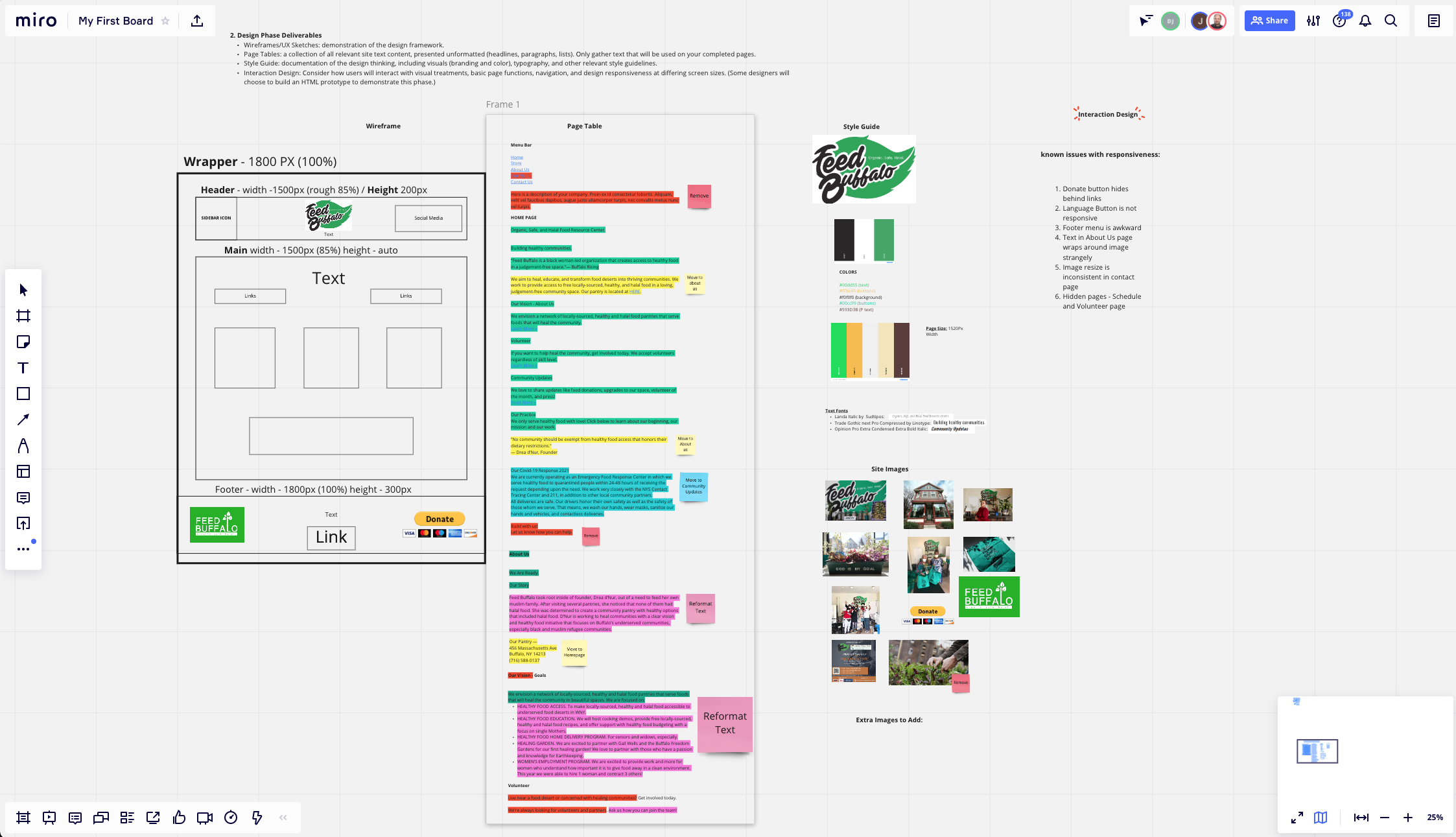
The below deliverables will be presented by each team during consultation meetings at the end of each phase. Documents should be neatly and professionally prepared and presented. A single slide deck, combining the deliverables for each phase is strongly preferred for deliverables consultations, and required for the final deliverables package. Figma, can be used to generate site maps, wireframes, and style guides. Hand-drawn sketches are allowable for early phase sketches.
After the completion of Phase 3, deliverables from all three phases will be combined into the final deliverables package. Improvements to prior phase findings and evolution of ideas can be documented and explained.
Each team member is responsible for tracking hours in the team timesheets, found in the class Box folder. (Please edit your timesheets through the Box website opening in Excel Online (UB Credentials needed to login to Office) or install the Box Drive app and edit in Excel on your desktop.)
Final Project Guides — Student Examples
Below are examples of professionally presented final project guides. Reviewing each guide should give you a clear picture of why the team chose their client, what they discovered about the client, and how they proceeded through each phase of the project. In the mist successful examples, the PDF are professionally prepared and neatly designed, often reflecting the identity style of their improved site designs.
Process Tips
- Immediately connect with your team members and establish communication protocols. Channels have been created for you in Discord for messaging with your team and the instructor.
- Select a client that you all share an interest in. Post your clients URL to the Project 2 channel in Discord. It must be unique — if another team has named it already, choose another.
- You may wish to setup a Figma Project to for collaboration, brainstorming, and collecting assets.
- Each team member will maintain a rough time log of project related activity so that each member can contribute an equitable amount of work. A time log will also reveal a realistic amount of time to complete each phase, and, in the commercial world, provide justification for billable hours.
- Deliverables will be collected at the consultations following the completion of each phase, and then included as part of the Final Project Guide.
- Good Deliverables Presentations should be well organized and every member of the team should have a role in presenting content.
- Grades will be assigned to each student based on overall project results and on individual contributions.
Work-In-Progress Critique Guidelines
- WordPress Site will be displayed from buffalo.art. Upload your site URL to the designated thread in the class Discord channel.
- Design fundamentals and theme customizations must be in place — layout, color, typography, other visual treatments.
- Your chosen theme should be fully responsive.
- All Pages should be present in the menu, but do not necessarily need to be populated with final content. Enough pages should be populated and formatted to demonstrate major site architecture and functionality.
- Be prepared to describe your client and your Phase 1 findings, how that guided wireframe and IA development, and the design choices. Those influences would be visible in your site.
Final Grade Considerations
Time Sheets
- Evenly Distributed Workload
- Adequate Time Investment
Professional Conduct
- Well prepared for each consultation meeting
- Present and on time
- Clean and organized presentation materials
- Each team member contributes to the meeting
New Site
- All requirements as listed above.
- Information architecture/navigability
- Visual design
- Responsive
- Technical performance
Final Project Guide
- Professional presentation
- Proofread—no typos, correct spelling & grammar
- Visual design: Clean, well organized, consistent typography, legible graphics, screenshots
- Each phase is presented—discovery, design, develop
- Training summary